2017年9月18日星期一

How to use 2017.07 version BMW ICOM A2 ISTA for diagnostic car ?

BMW ICOM A2+B+C latest software version is 2017.07.   ISTA-D 4.05.32  ISTA-P 3.61.5    VIN: 2017.05   Now we show you how to use BMW icom A2 and ISTA D software ,check  all car module status and delete fault code history.  the operation steps is easy.
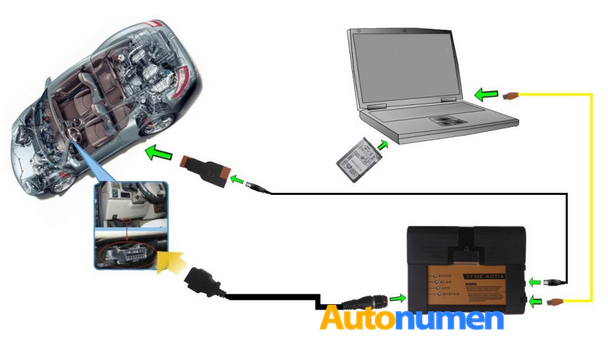
steps 1:  connect your ICOM A2 main unit with your car, then open ISTA-D  4.05.32
You need to do  a vehicle test firstly.
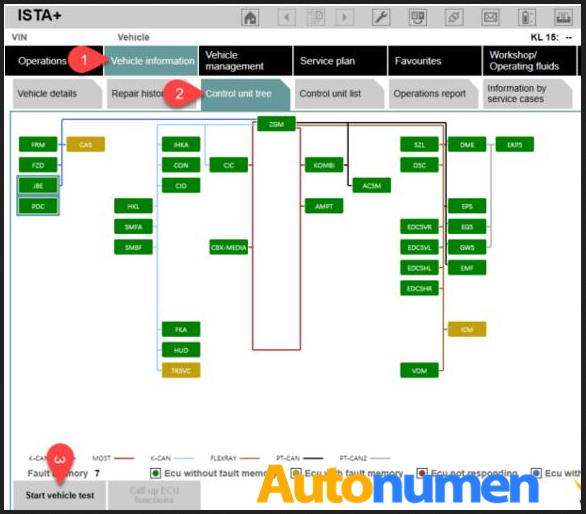
go to ” vehicle information ” -” control unit free”-“start vehicle test”
1.1
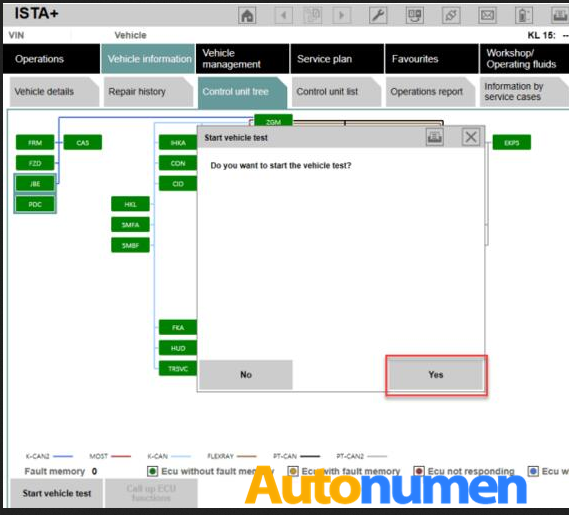
click” yes” , then start vehicle test
1.2
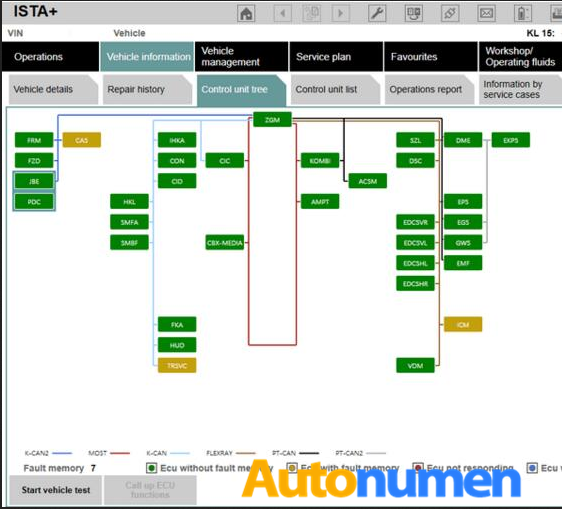
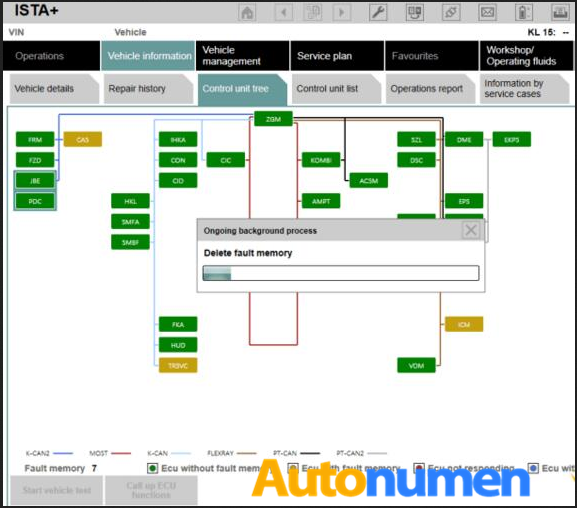
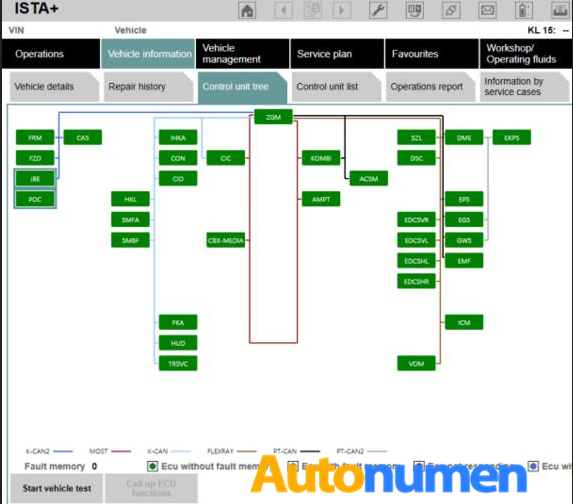
steps 2: when finish vehicle test.  the faulty module will be display in yellow or red.  yellow means there is a error memory,  red means no response.
if you see there are all is green,   it means not problems at all.
press the “display fault memory ” button to check the error code.
1.3
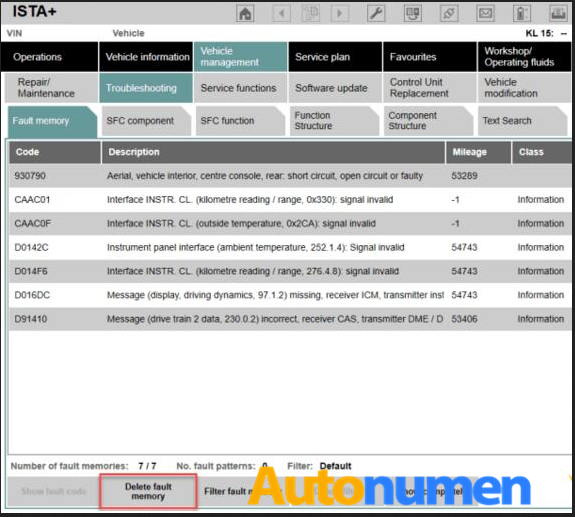
steps 3:   click” vehicle management”-“troubleshooting” – ” fault memory”
you can see the error description with error code.   double click every item, you can see detail description of phenomenon.
1.4
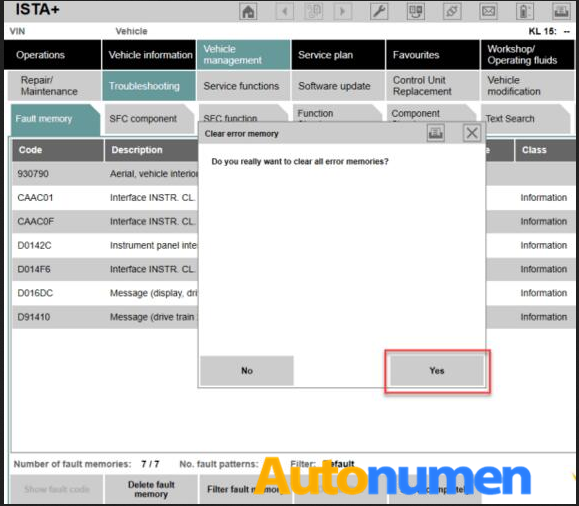
just click” delete fault memory” to clear the faulty memory
1.5
1.6
1.7
BMW ICOM software support Multi-language available in diagnosing, programming and TIS diagram circuit: American English, British English, German, Spanish, French, Italian, polish, Portuguese, Turkish, Czech, Swedish, Dutch, Indian, Greek, Russian, Simplified Chinese, Traditional Chinese, Japanese, Korean and Thai.
1.8

2017年9月13日星期三

Autel MaxiDiag MD808 PRO Diagnostic Tool FAQs & Feedbacks

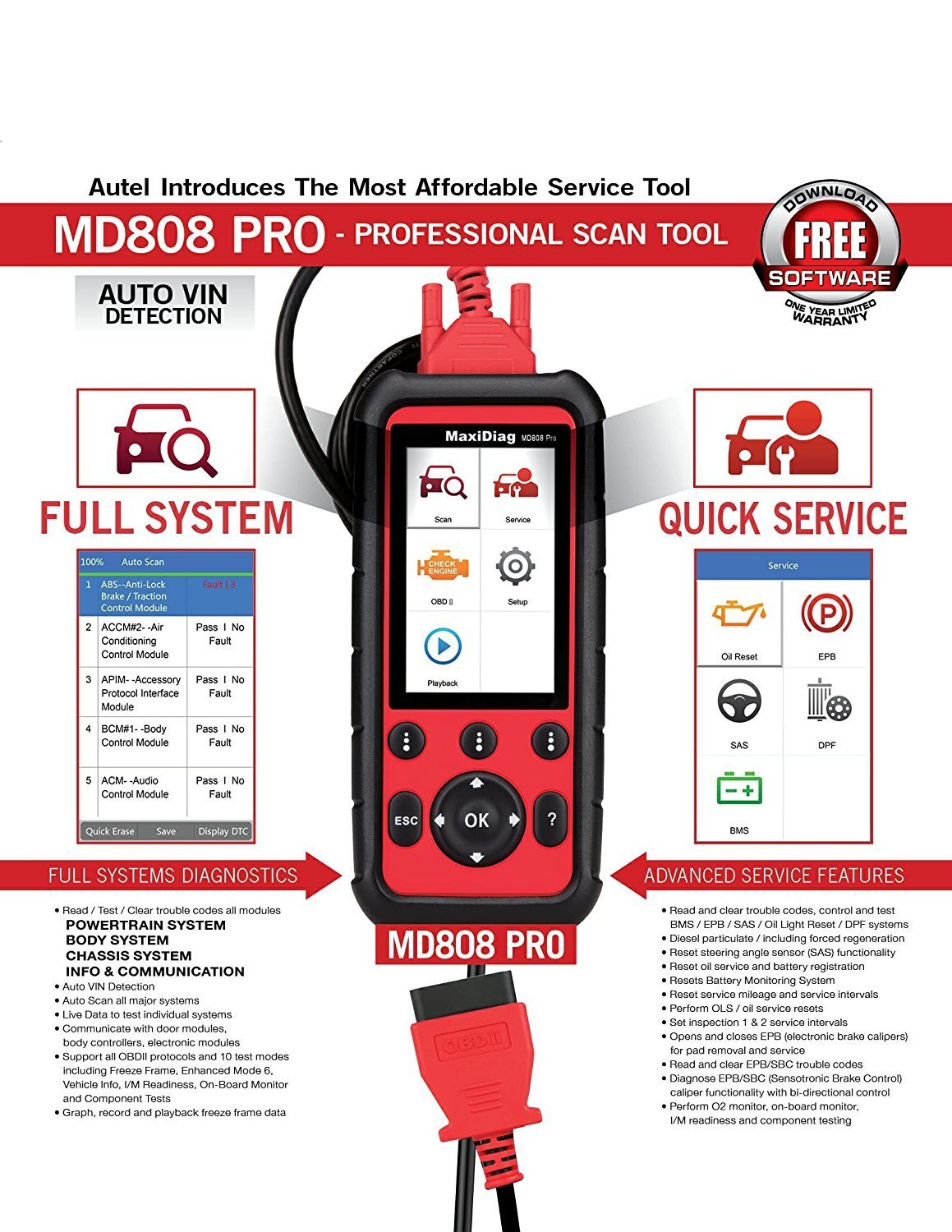
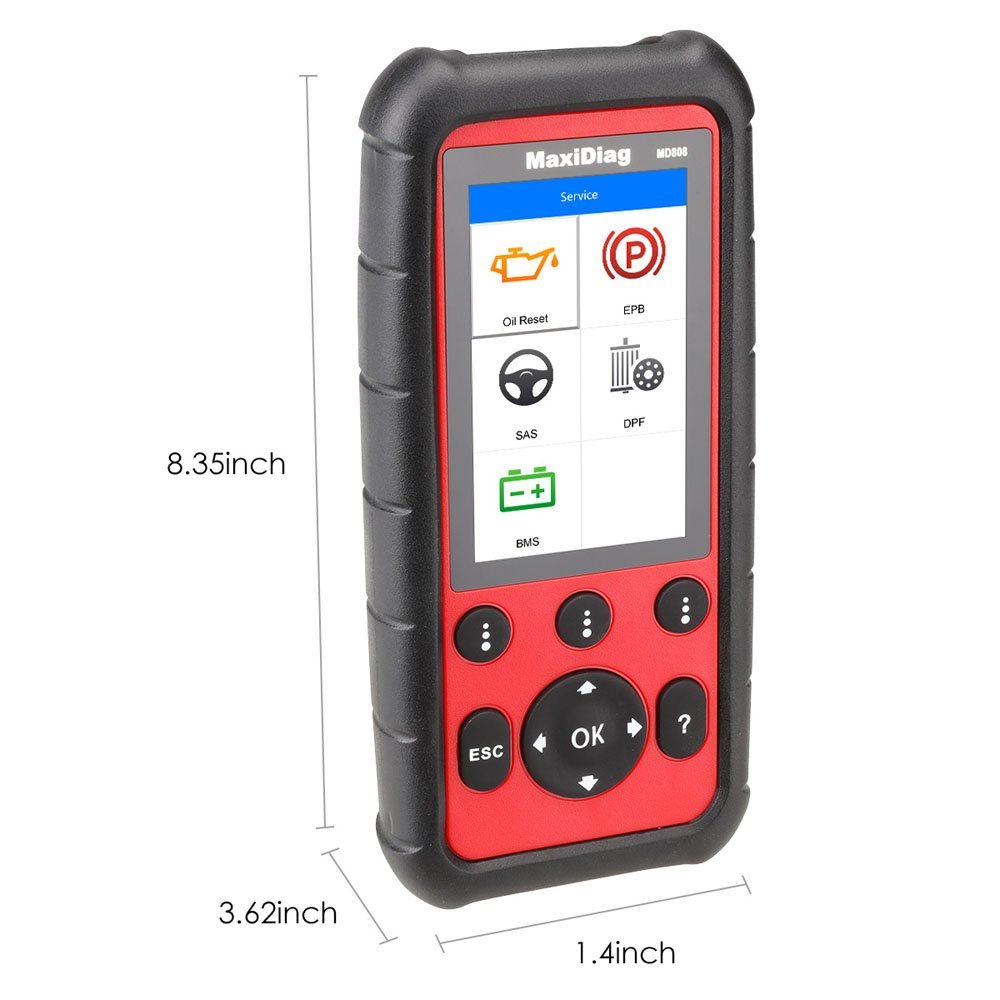
The MaxiDiag MD808 Pro is built to take your diagnostic experience to a whole new level. Loaded with oil service reset, battery registration and reset, parking brake pad relearn after replacement, steering angle sensor relearn and diesel particulate filter regeneration functions, MD808 Pro can access ALL available modules for the best diagnosis operations. With all that enclosed in a 4-inch hand-held device, there is no better multifunctional scan tool on the market.
md808 pro
Here are some questions and feedbacks from customers as followings (Autel MaxiDiag MD808 PRO Diagnostic Tool):
Q: Does it read TCC transmission data on GM vehicles?
A: yes it does, can read slip count, shift time, temp, and tons of other things
Q: is it better than MD802 all system? I want to buy a scan tool but i want to know your opinion
A: oh ok because some people say that is the combination of MD802 and Maxi CheckPro but i dont know
Q: Does it include ALL SYSTEM as in MD802 All systems , or only 4 systems ?
A: the MD808 PRO is a combo of the Maxicheck Pro and the MD802 (I don’t know how many systems the listing doesn’t say), the regular MD808 is 4 systems
Q: What is a component test ??
A: it initiates a leak test for the EVAP system
Feedback: SAS in the Scan menu is steering angle sensor, not airbag SRS, SRS is found elsewhere in the tool. Additional vehicles supported not shown in the video include Opel, Peugeot, Porsche, Renault, SEAT, SKODA, Saab, Smart, Sprinter, VW, and Vauxhall
Feedback: That looks like quite a good tool for the price! If I could afford something like that at the moment and didn’t already have a scan tool, I’d be all over that.
Q: Can this read oil or transmission temperature?
A: I found transmission temp, might read oil temp on cars that support it, i only found coolant and air temp otherwise.

2
Autel MaxiDiag MD808 PRO Diagnostic Tool Features:
1. Support Read/Clear Codes and Live Data functions for ALL systems
2. Read and clear trouble codes, control and test BMS/Oil Reset/ SRS/EPB/DPF systems
3. Support oil service reset
4. Support battery registration and reset
5. Diesel particulate service including forced regeneration
6. Reset steering angle sensor (SAS) functionality
7. Relearn parking brake pad after replacement
8. Reset service mileage and service intervals
9. Turn off ECU brake warning light
10. Perform O2 monitor, on-board monitor, I/M readiness and component testing
11. Print diagnostic reports via PC connection
12. Global OBD II coverage for U.S. domestic, Asian and European makes and models
13. All OBD II protocols, all 10 test modes and enhanced OBD II mode 6 support
14. Update: Free Software updating for lifetime

2017年9月7日星期四

how to install KTAG Ksuite 2.23 software for KTAG Firmware 7.020 on Windows XP and KTAG token reset

You have two choices to get KTAG FW 7.020:
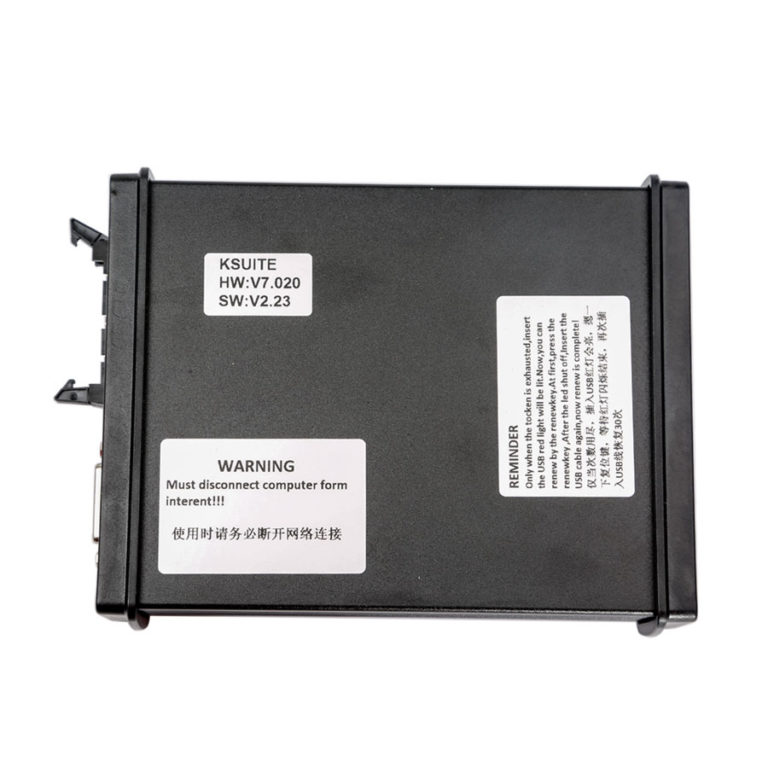
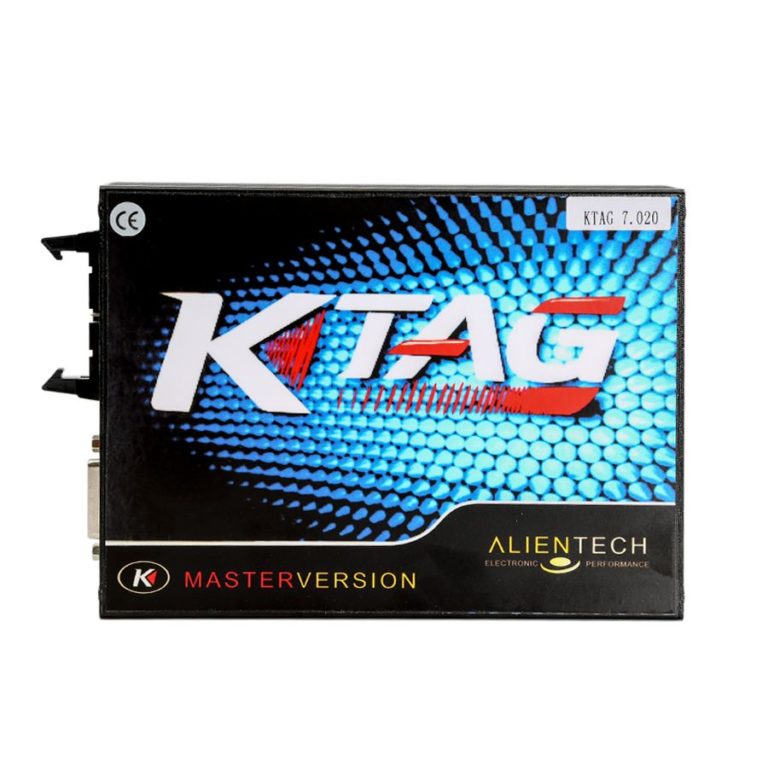
1. KTAG V2.23 FW 7.020Masterwith token renew button
1
2. KTAG FW 7.020ksuite V2.23 with token renew button
2
Any difference? Same function?
Yes, these two kinds of KTAG FW 7.020 has SAME function and SAME unlimited tokens.
The ONLY Difference is the appearance.
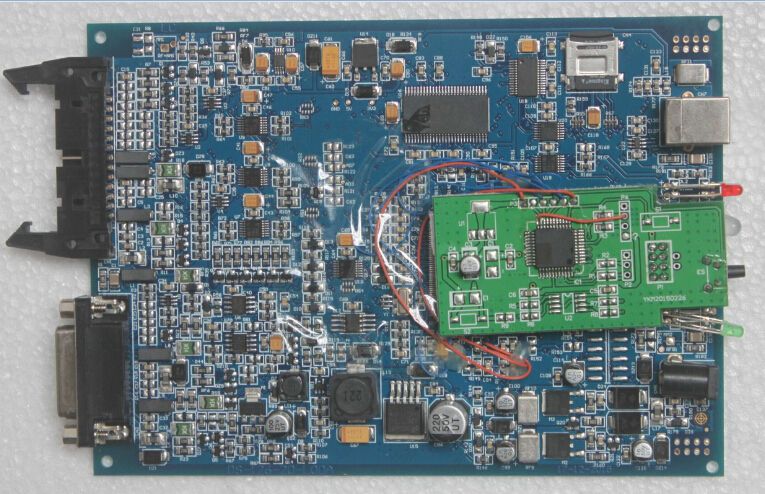
KTAG FW 7.020 PCB
3
4

KTAG Token Reset Tips with Token Renew Button
KTAG with token renew button. When tokens are used up, just connect it with computer and the red indicator flash, then you press the Token Reset button, wait until the indicator flash off, unplug the USB cable.
Connect KTAG with computer again, now you get 30 tokens.
How to install KTAG FW 7.020 Ksuite V2.23 on WIN XP step by step?
Before install, please disconnect the internet connection.
Unzip KTAG Ksuite 2.23 software then run Ksuite 2.23 setup.exe.
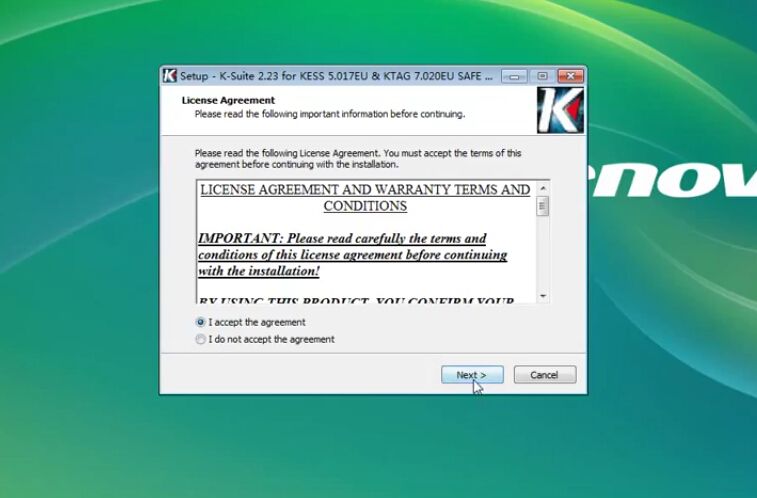
You will see a “License Agreement”.
Choose “I accept” and click “Next”, click “install”.
56
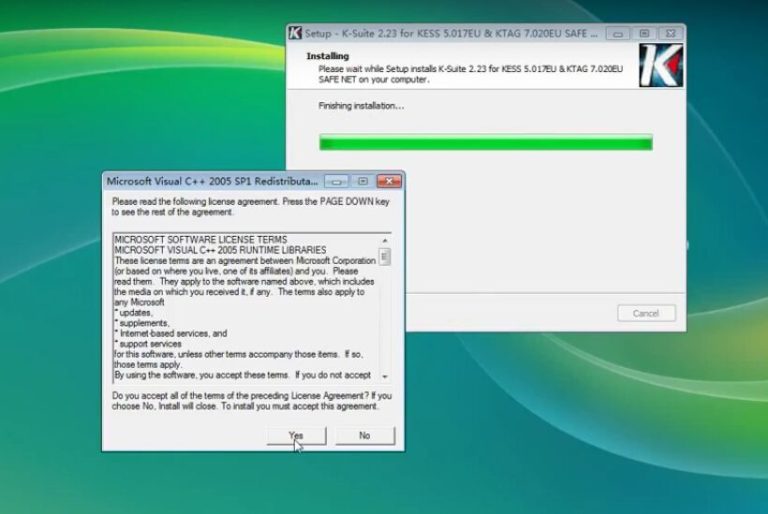
During Ksuite 2.23 installing process, you will see “Microsoft Visual C++ 2005” agreement.
Click “Yes” to accept all items and go on.
7
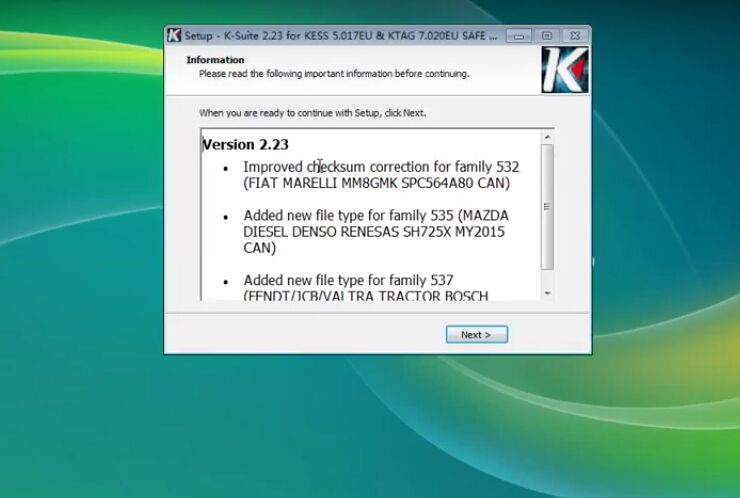
After that, you can see KTAG Ksuite 2.23 software information:
Improved checksum error for family 532 (FIAT MARELLI MM8GMK SPC564A80 CAN)
Added new file type for family 535 (MAZDA DIESEL DENSO RENESAS SH725X MY2015 CAN)
Added new file type for family 537 (FENDT/ JCB/ VALTRA TRACTOR BOSCH EDC17CV41 SISU ENGINE CAN)
8
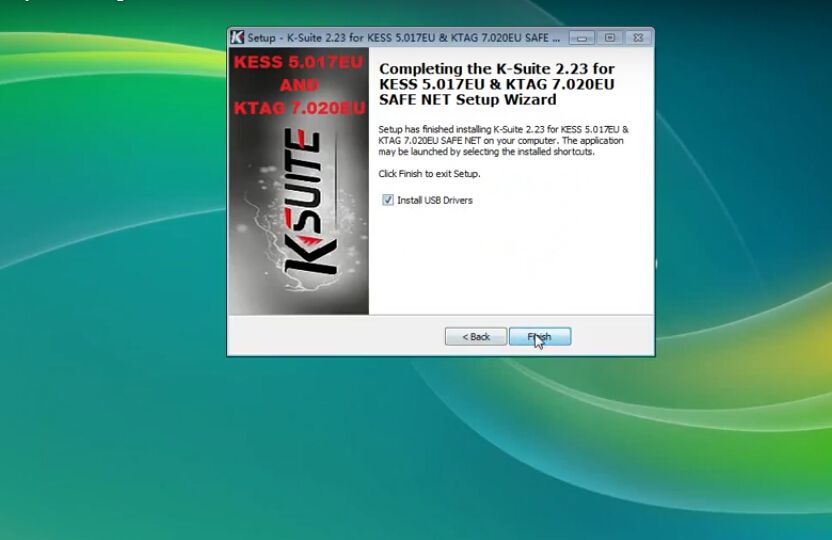
Click “Next” then “Finish”. (Remember to check the box “Install USB drivers”)
9
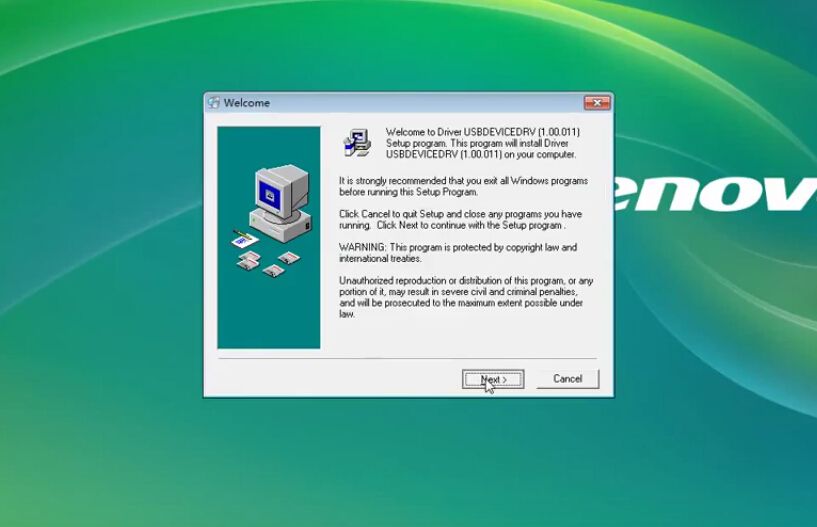
Next you are going to install KTAG Ksuite 2.23 USB Driver.
Select language “U.S English”, click “OK” to install.
Click “Next” until you can click “Finish”.
Ksuite 2.23 USB Driver installation OK.
1011
Now you successfully install Ksuite V2.23 software!
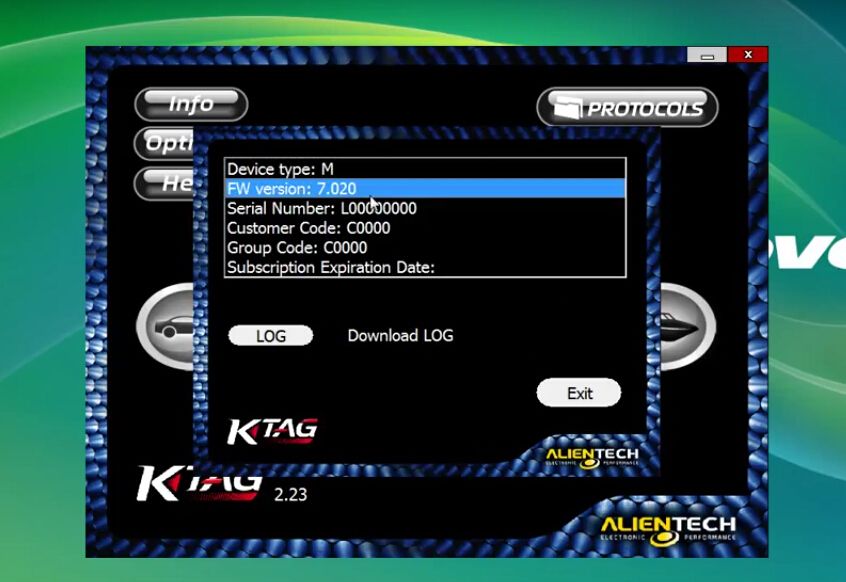
Click the K-suite 2.23 shortcut on desktop start to use KTAG Firmware 7.020!
1213

1. Promotion! Latest V2.23 KTAG ECU Programming Tool Firmware V7.020 KTAG Master Version with Unlimited Token

2. 2017 Latest Firmware KTAG V7.020 ECU Programming Tool Master Version with Unlimited Token

3. V2.11 FW V6.070 KTAG K-TAG ECU Programming Tool Master Version with Unlimited Token

4. KTAG K-TAG ECU Programming Tool Master Version V2.10

how to install KTAG Ksuite 2.23 software for KTAG Firmware 7.020 on Windows XP and KTAG token reset

You have two choices to get KTAG FW 7.020:
1. KTAG V2.23 FW 7.020Masterwith token renew button
1
2. KTAG FW 7.020ksuite V2.23 with token renew button
2
Any difference? Same function?
Yes, these two kinds of KTAG FW 7.020 has SAME function and SAME unlimited tokens.
The ONLY Difference is the appearance.
KTAG FW 7.020 PCB
3
4

KTAG Token Reset Tips with Token Renew Button
KTAG with token renew button. When tokens are used up, just connect it with computer and the red indicator flash, then you press the Token Reset button, wait until the indicator flash off, unplug the USB cable.
Connect KTAG with computer again, now you get 30 tokens.
How to install KTAG FW 7.020 Ksuite V2.23 on WIN XP step by step?
Before install, please disconnect the internet connection.
Unzip KTAG Ksuite 2.23 software then run Ksuite 2.23 setup.exe.
You will see a “License Agreement”.
Choose “I accept” and click “Next”, click “install”.
56
During Ksuite 2.23 installing process, you will see “Microsoft Visual C++ 2005” agreement.
Click “Yes” to accept all items and go on.
7
After that, you can see KTAG Ksuite 2.23 software information:
Improved checksum error for family 532 (FIAT MARELLI MM8GMK SPC564A80 CAN)
Added new file type for family 535 (MAZDA DIESEL DENSO RENESAS SH725X MY2015 CAN)
Added new file type for family 537 (FENDT/ JCB/ VALTRA TRACTOR BOSCH EDC17CV41 SISU ENGINE CAN)
8
Click “Next” then “Finish”. (Remember to check the box “Install USB drivers”)
9
Next you are going to install KTAG Ksuite 2.23 USB Driver.
Select language “U.S English”, click “OK” to install.
Click “Next” until you can click “Finish”.
Ksuite 2.23 USB Driver installation OK.
1011
Now you successfully install Ksuite V2.23 software!
Click the K-suite 2.23 shortcut on desktop start to use KTAG Firmware 7.020!
1213

1. Promotion! Latest V2.23 KTAG ECU Programming Tool Firmware V7.020 KTAG Master Version with Unlimited Token

2. 2017 Latest Firmware KTAG V7.020 ECU Programming Tool Master Version with Unlimited Token

3. V2.11 FW V6.070 KTAG K-TAG ECU Programming Tool Master Version with Unlimited Token

4. KTAG K-TAG ECU Programming Tool Master Version V2.10

2017年9月5日星期二

How to use Autel MaxiDAS DS808 diagnose Mercedes-Benz successfully?

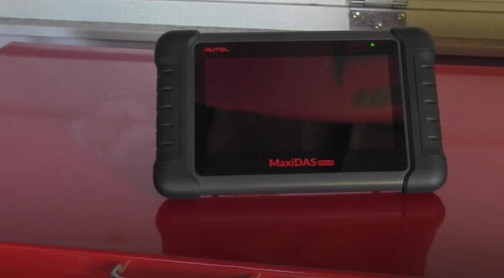
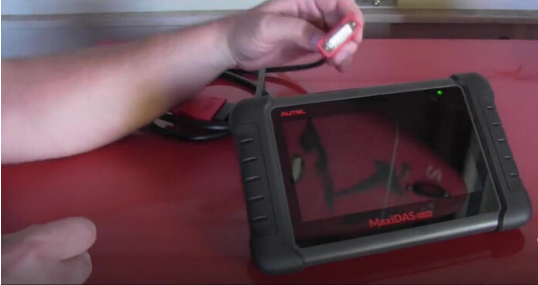
Let’s unpack and unbox the Autel MaxiDAS DS808 and see together what it will do out of box no registration, no update, no nothing.
1
So let’s go ahead to plug the OBDII cable to the DS808 for the first time,
2
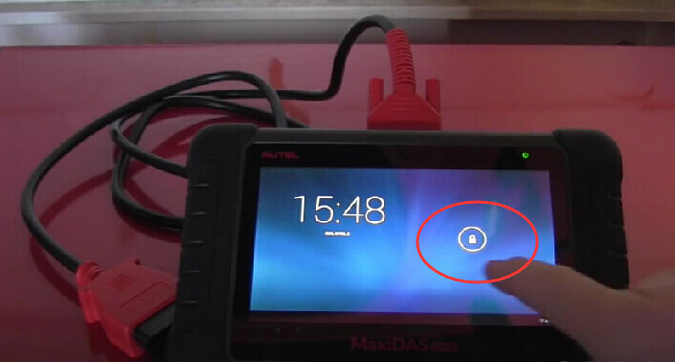
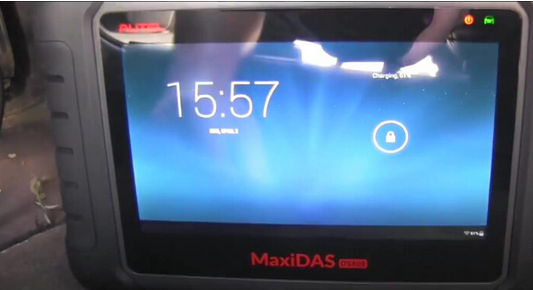
Press the power button at the top, and you can slide the lock button.
3
4
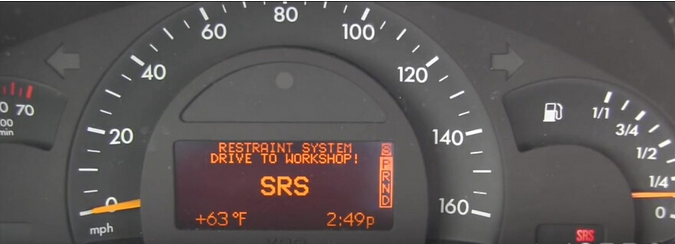
Both of my previous scanners one goes for 150 dollar  and another one reaches 400 dollars are not able to access to the computer of airbags, so let’s see out of box without any updates and registration of this MaxiDas DS808 scanner can do for you.
As you can see, a red warning SRS light and watch the information sent, and it’s the reason why I need to get back DS808 scanner and find out what is happening to the vehicle.
5
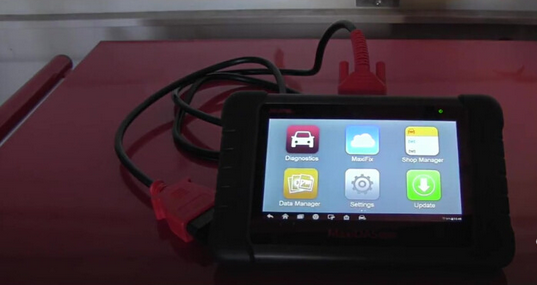
Here you are, the MaxiDAS DS808 scanner is connected to the OBDII port of vehicle and the ignition is on.
6
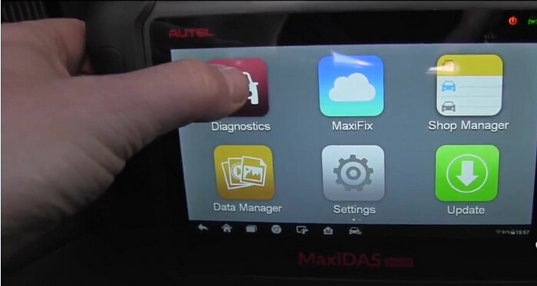
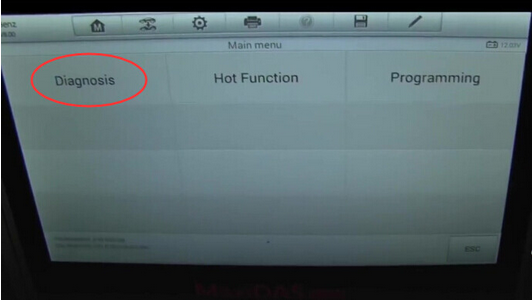
So let’s see what we can do, let’s go to diagnostic.
7
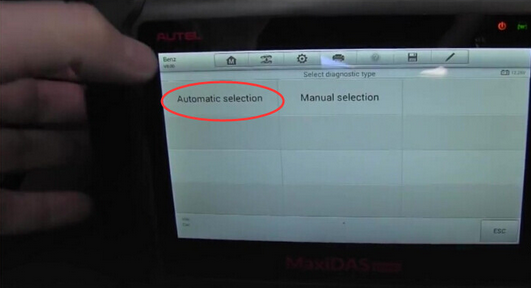
Definitely go for “Automatic selection”
8
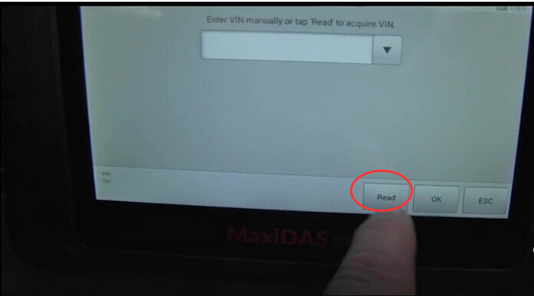
I don’t want to tap the VIN, so I will read it automatically.
9
And here you are, it is really pretty fast, this is absolutely awesome.
The new generation scan tool is super fast.
10
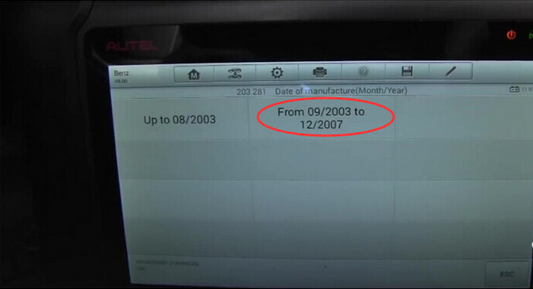
I know this Benz is 2004, so I will click “From 09/2003 to 12/2007.
11
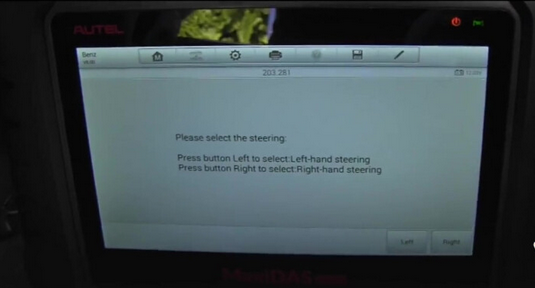
Please select the steering left or right, all right , I click “Left”
12
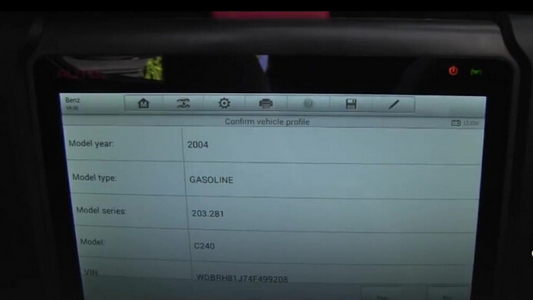
Confirm vehicle profile, let’s say yes.
13
Yes “Diagnosis”, so you can see fast it goes.
14
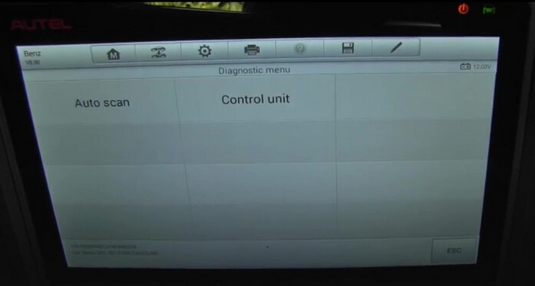
I’ll go for “Auto scan”
15
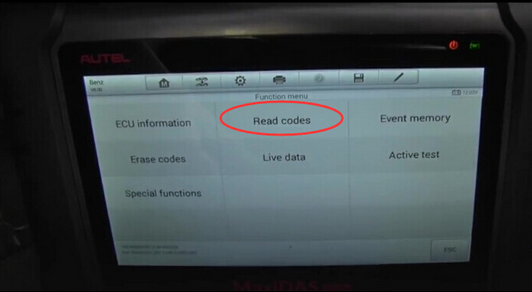
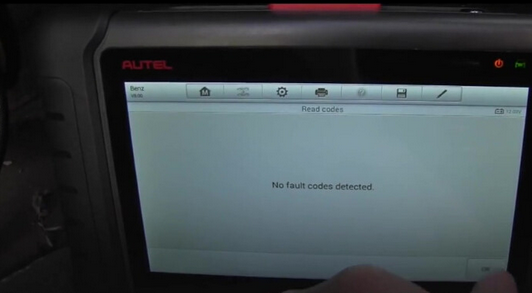
Try to read fault code
No fault codes detected.
16
But I’m just confusing where is the airbag problem.
This is next screen we can see, the ME-SFI 2.8 Motor electronics 2.8 has no faults, but I want to go for airbag computer
17
So let’s exit to “Diagnostic menu” and select “Control Unit”, and click on “Body” then “AB-airbag” all right. No communication between the tester and control unit.
18
19
So, the reason is No register and No update MaxiDAS DS808 for Mercedes Benz , only after register that it will start working. Registering the device was easy, you simply go to autel’s website and set up an account. Once you do that you take the registration code/ passcode from the scan tool and register it on the website. You then make sure that the scan tool is hooked up to your wifi which is setup in settings. Then you are ready to update the scan tool with the latest software.
1. AUTEL MaxiDAS DS808 KIT Tablet Diagnostic Tool Full Set Support Injector & Key Coding Update Online
2. Promotion 2017 New Arrival Autel Maxidas DS808 Auto Diangostic Tool Perfect Replacement of Autel DS708