显示标签为“BMW ICOM”的博文。显示所有博文

2017年9月28日星期四

BMW ICOM Next VS. BMW ICOM A2,Which is Better?

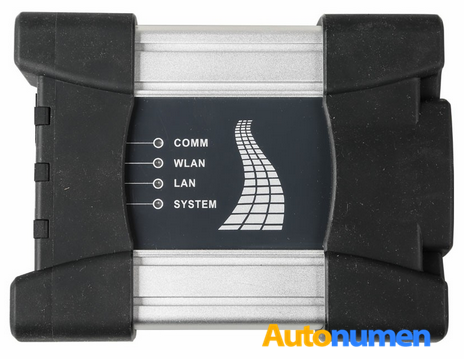
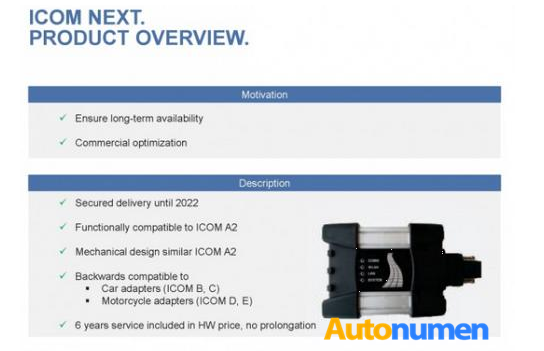
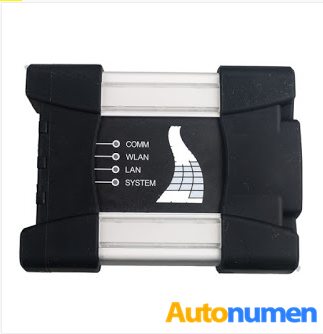
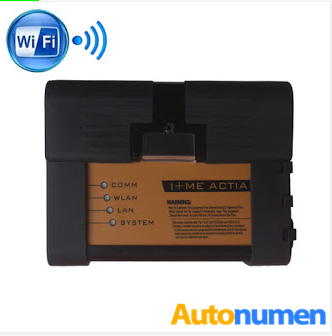
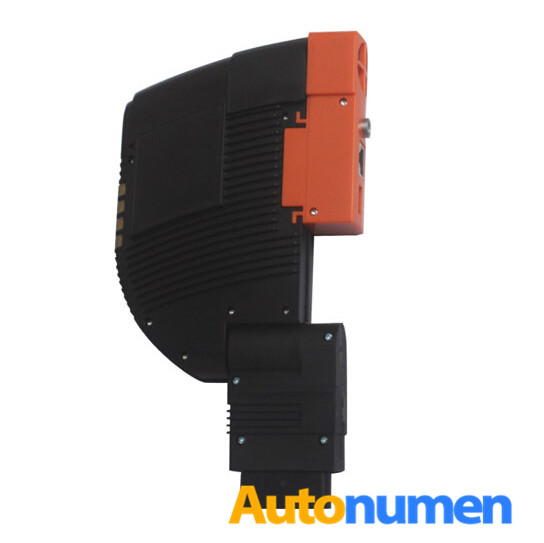
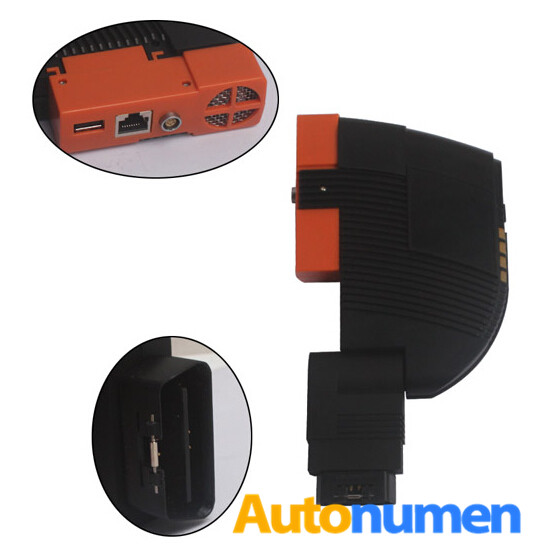
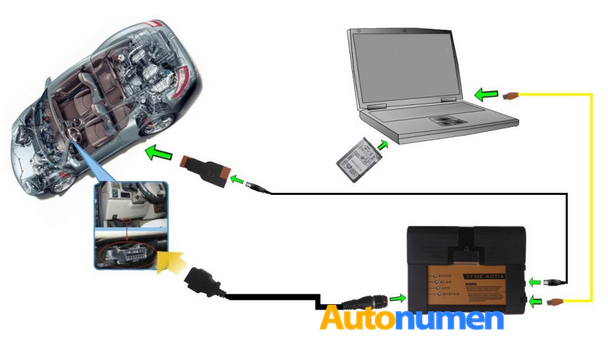
From Autonumen.com BMW ICOM NEXT is the latest generation of BMW ICOM A2.Do you know what is the difference between and which to choose ? Bellow there are some specific information of ICOM A 2 and ICOM NEXT to help you tell the difference.
BMW ICOM NEXT BMW Diagnostic Tool ICOM NEXT A+B+C
23.1
BMW ICOM BMW Ista BMW Scan Tool
23.2
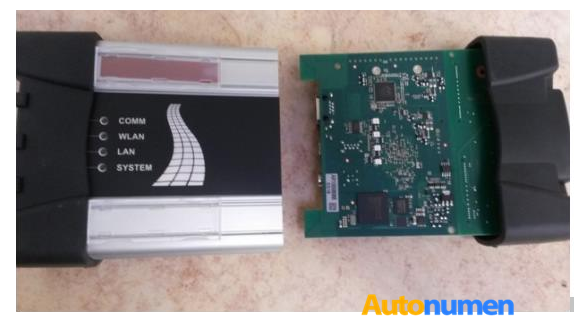
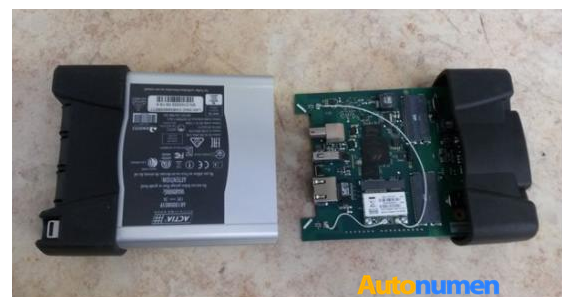
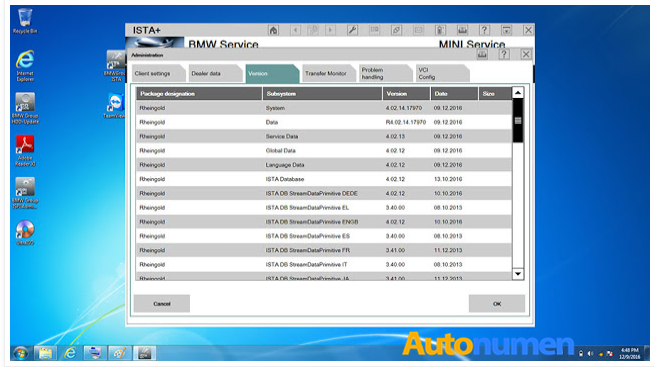
Both ICOM A2 and ICOM Next A can work with the same software ISTA-D ISTA-P for the same BMW vehicles. But they are kind of different from some aspects, especially firmware adaption. Here is some highlights of ICOM NETX after hardware update with high-quality PCB:
23.3
23.4
more stable during programming
be necessary for the future Gbit cars
faster start-up times and high throughput
through high-performance, low-power ARM SoC
improved handling
more flexible OBD cable
lighted button for logs
23.5
23.6
23.7
More detail about ICOM NEXT BMW diagnostic tool,pls connect

BMW ICOM ISTA-P Coding and Programming Questions and Answers

Here share with you some useful tips and knowledge when talking about BMW Coding and BMW Programming by ISTA Rheingold!
Check below Q&A: (Questions raised by a beginner and answered by a professional)
22.1
Q: Is it safe to update software with ISTA on all BMW’s that come through my shop ? What problems can I run into? (assuming I have a good power supply for car and laptop)
A: Depends on many factors, but as long as you use a good ICOM and a good power supply, you should be OK.
Q: Can updates on comfort mode, brick an ECU (or more)?
A: As long as you stick to the proposed measures plan in Comfort Mode and your setup (laptop, software etc.) is solid, there shouldn’t be any opportunity to brick an ECU.
Q: If updates are safe, on what series can I do them ? BMW F, G for sure..can I do E ?
A: F, G and I series and for Motorrad models with vehicle electrical system 2020 (BN2020). E Series programming is not supported in ISTA+, use ISTA/P or WinKFP for individual modules. BMW ENET Cable you may also need.
Q: Updates for Navi maps, can I do them in ISTA also ? Again, is it safe ? Do you recommend E-Sys more for this job ?
A: I have not attempted this with ISTA+, but would assume process is similar to ISTA/P. I’d stick with ESYS strictly for ease of use.
Q: I have an BMW ICOM A2+B+C with ISTA all OK. And I understand that E-Sys is more complex than ISTA, regarding coding and programming for F-Series, as NCSExpert and WINkfp are for E-Series. You can do coding in ISTA also right ? for all series ? Or ISTA does less ?
A: You need to differentiate between coding and “encoding”. ISTA+ will do “encoding” depending on the programming required. That is not the same as coding (features). I don’t think I’d say ESYS is more complicated than ISTA+, each are different in the way they approach coding/programming.
Hope this blog helps you!
BMW Coding and Programming related tools all here:
BMW ICOM NEXT
22.2
BMW ICOM A2 WIFI
22.3
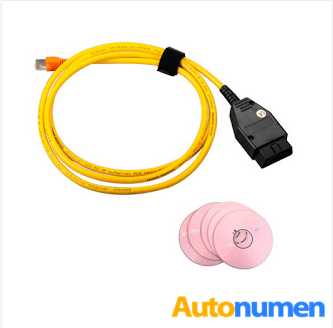
BMW ENET Coding Cable
22.4
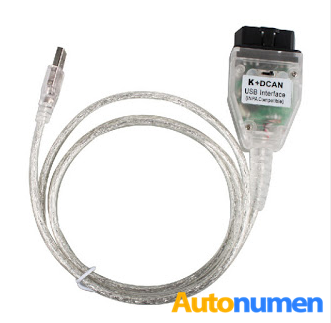
BMW INPA K+DCAN with FT232RQ Chip and Switch
22.5

2017年9月19日星期二

BMW ICOM BMW ISIS ISID A+B+C 2015.08 Engineers Version

BMW ICOM
1. Support Multi-language: English, German, Simplified Chinese
2. 2015.08 BMW ICOM Software Version
3. BMW ICOM A2 Hardware Version: V1.33
4. Support Vehicles: BMW Cars, BMW Motorcycle, Rolls-Royce, Mini Cooper
5. Support BMW All Series Diagnose and Programming
6. With Bonus Engineer Programming Software
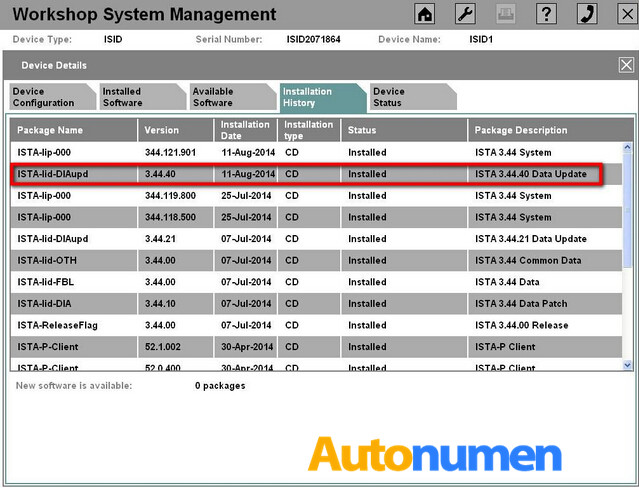
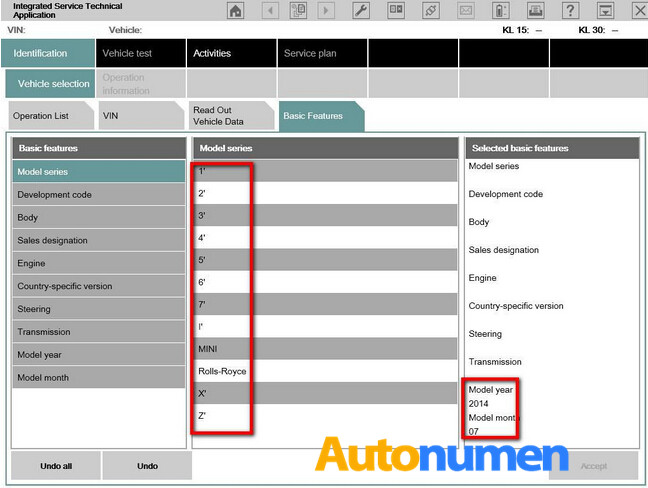
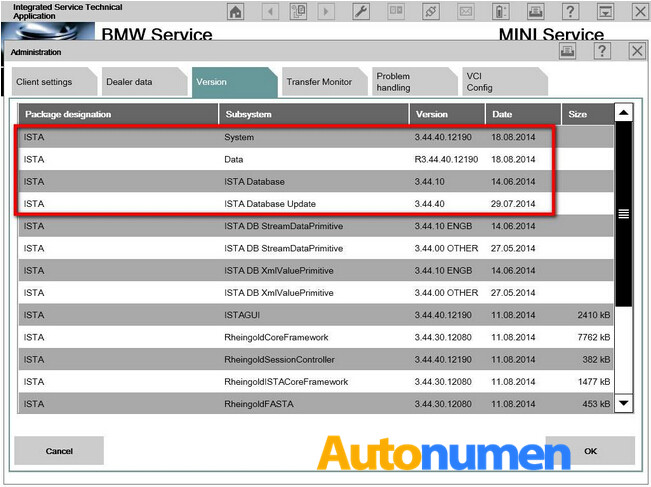
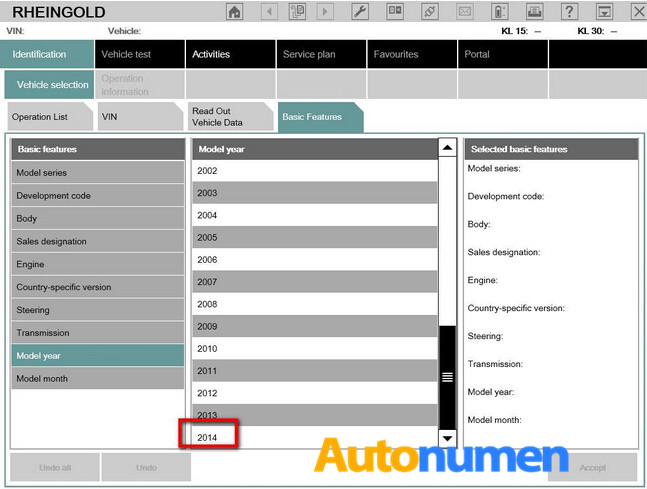
7. BMW ISTA-D&ISTA-P 2 in 1 Develop Version, Newest Database Version Can Recognize BMW Vehicle VIN Number Which Produce in 2014
8. Have Both Hardware and Software in the Package, 500GB Complete New HDD, High Quality, Save Money for You than Buying Them Alone
9. Super iCOM HDD Can Print Out Test Results When Connect to Printer
10. Support All Laptop with Sata Port
2.1
2.2
Description:
ICOM A: Vehicles with OBD capability (Connect to ISIS/SSS/ISID with LAN or WAN)
ICOM B: For programming with MOST port (Connect to MOST in vehicle / to ICOM-A with USB system
ICOM C: Older model series with diagnosis socket in engine compartment (OBD 2)
Work with All BMW Vehicles till 2015(BMW Cars,BMW i , BMW+Mini, BMW Motorcycle, Rolls-Royce, Mini Cooper), offline programming, no need Internet
BMW Diagnostic Software Offline Expiration day: 99,999,999 Days
20141104202205_61931
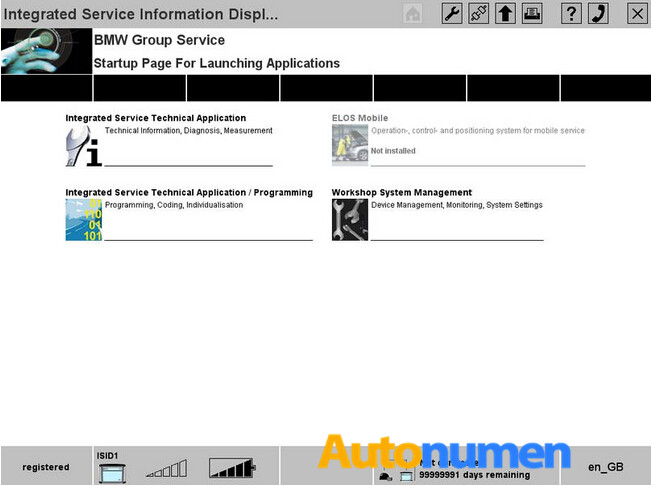
BMW ICOM Rheingold software 2015.08  ISTA/D 3.48.10 ISTA/P 55.01 with Expert Mode (Optional)
20141104202252_40247
The new version Professional Diagnostic Tools  BMW ICOM software is able to work with the latest 2015 year car as well as BMW i series.
This software support BMW ICOM A1, BMW ICOM A2 and BMW ICOM A3. it comes with BMW ICOM WLAN function.
20141104202437_65812
The new BMW i series support till 2015 year version, below are some screen shot for bmw icom Rheingold software with i series.
20141104202517_30051
icom Rheingold till 2015 year
20141104202748_10863
For the new version ISTA/P 55.01 also the latest version to allow you coding/programming the new modules. BMW ICOM Expert mode is also able to be added in this version software, by the BMW ICOM Expert mode, you are able to programming individual module.
20141104202903_12974
From Autonumen.com BMW ICOM Scanner FAQs:
Q: When I install BMW ICOM software in English, it works well, but when I choose Spanish, it displays errors.
A: Except English, German and Chinese, if you install BMW ICOM in the other language, you will get the same errors.
Q: What is BMW ICOM password?
A: ICOM BMW power-on password is lowercase letter bmw, when you come to password 1 and password 2, input capital BMW, and enter nothing in password 2.
Q:BMW ICOM do air suspension? I mean air suspension calibration or reset? Thanks
A: No, it doesn’t.
Q: Can I use the BMW ICOM software from other suppliers?
A: Better use ICOM software from us, otherwise it doesnot work
Q: What computer system BMW ICOM ABC works on?
A: BMW ICOM with moveable hard disk run with win 7, cpu i5 and over 4gb memory. As for BMW ICOM with internal hard disk, you directly insert internal hard disk into computer, and open computer to diagnose and program.

2017年9月18日星期一

How to use 2017.07 version BMW ICOM A2 ISTA for diagnostic car ?

BMW ICOM A2+B+C latest software version is 2017.07.   ISTA-D 4.05.32  ISTA-P 3.61.5    VIN: 2017.05   Now we show you how to use BMW icom A2 and ISTA D software ,check  all car module status and delete fault code history.  the operation steps is easy.
steps 1:  connect your ICOM A2 main unit with your car, then open ISTA-D  4.05.32
You need to do  a vehicle test firstly.
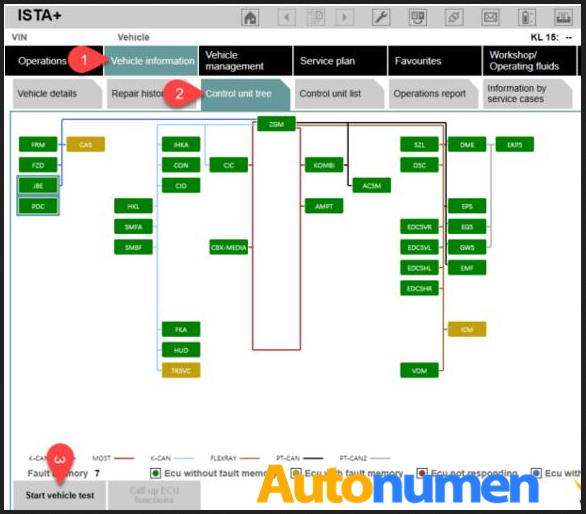
go to ” vehicle information ” -” control unit free”-“start vehicle test”
1.1
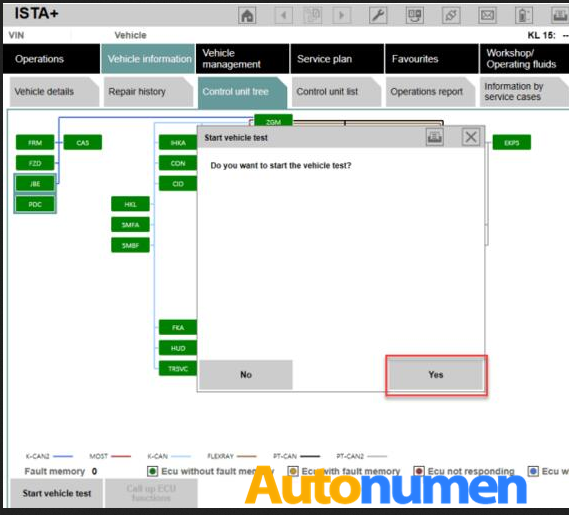
click” yes” , then start vehicle test
1.2
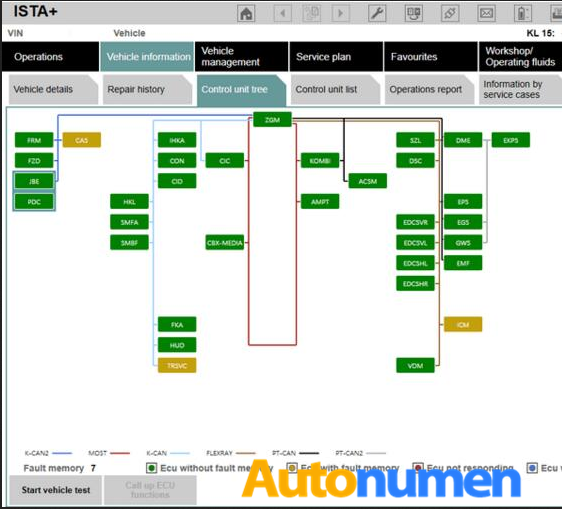
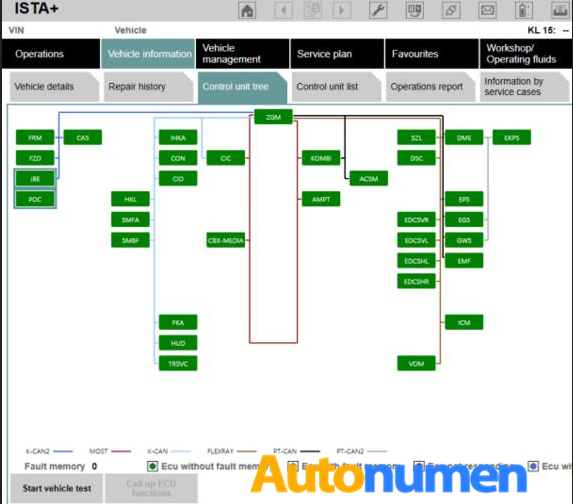
steps 2: when finish vehicle test.  the faulty module will be display in yellow or red.  yellow means there is a error memory,  red means no response.
if you see there are all is green,   it means not problems at all.
press the “display fault memory ” button to check the error code.
1.3
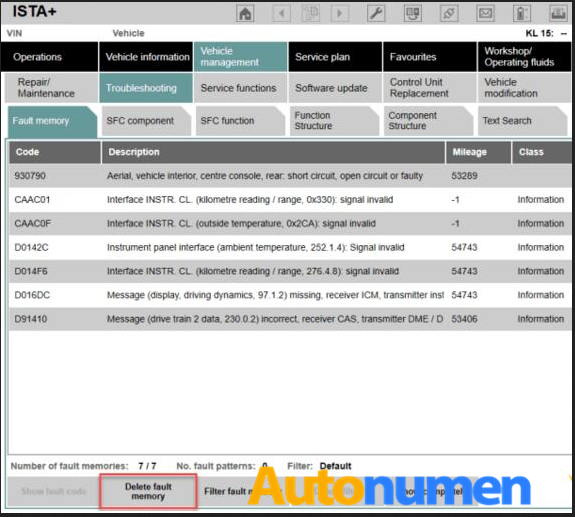
steps 3:   click” vehicle management”-“troubleshooting” – ” fault memory”
you can see the error description with error code.   double click every item, you can see detail description of phenomenon.
1.4
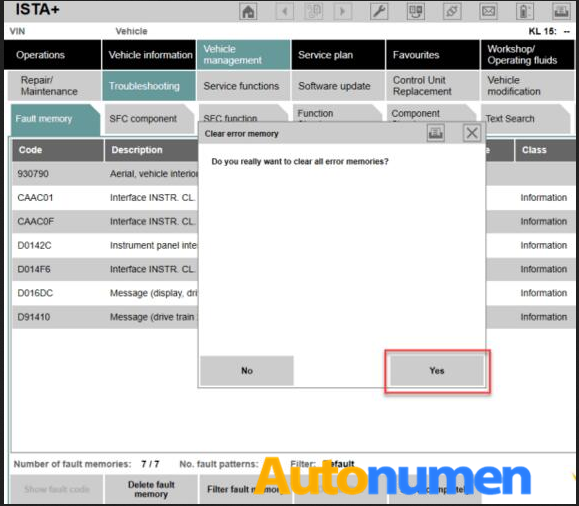
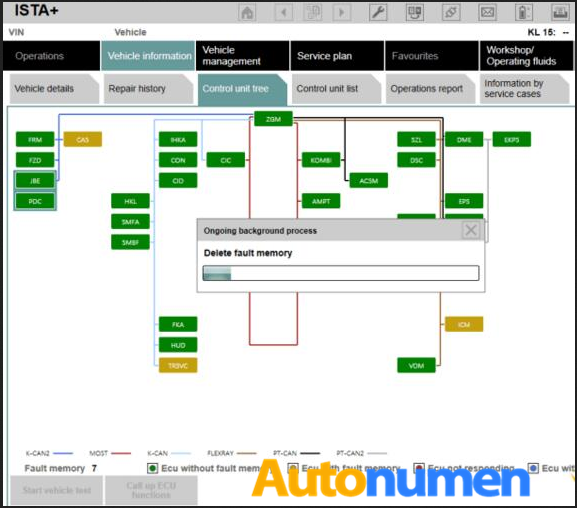
just click” delete fault memory” to clear the faulty memory
1.5
1.6
1.7
BMW ICOM software support Multi-language available in diagnosing, programming and TIS diagram circuit: American English, British English, German, Spanish, French, Italian, polish, Portuguese, Turkish, Czech, Swedish, Dutch, Indian, Greek, Russian, Simplified Chinese, Traditional Chinese, Japanese, Korean and Thai.
1.8