You have two choices to get KTAG FW 7.020:
1. KTAG V2.23 FW 7.020Masterwith token renew button

2. KTAG FW 7.020ksuite V2.23 with token renew button

Any difference? Same function?
Yes, these two kinds of KTAG FW 7.020 has SAME function and SAME unlimited tokens.
The ONLY Difference is the appearance.
KTAG FW 7.020 PCB


KTAG Token Reset Tips with Token Renew Button
KTAG with token renew button. When tokens are used up, just connect it with computer and the red indicator flash, then you press the Token Reset button, wait until the indicator flash off, unplug the USB cable.
Connect KTAG with computer again, now you get 30 tokens.
How to install KTAG FW 7.020 Ksuite V2.23 on WIN XP step by step?
Before install, please disconnect the internet connection.
Unzip KTAG Ksuite 2.23 software then run Ksuite 2.23 setup.exe.
You will see a “License Agreement”.
Choose “I accept” and click “Next”, click “install”.


During Ksuite 2.23 installing process, you will see “Microsoft Visual C++ 2005” agreement.
Click “Yes” to accept all items and go on.

After that, you can see KTAG Ksuite 2.23 software information:
Improved checksum error for family 532 (FIAT MARELLI MM8GMK SPC564A80 CAN)
Added new file type for family 535 (MAZDA DIESEL DENSO RENESAS SH725X MY2015 CAN)
Added new file type for family 537 (FENDT/ JCB/ VALTRA TRACTOR BOSCH EDC17CV41 SISU ENGINE CAN)

Click “Next” then “Finish”. (Remember to check the box “Install USB drivers”)

Next you are going to install KTAG Ksuite 2.23 USB Driver.
Select language “U.S English”, click “OK” to install.
Click “Next” until you can click “Finish”.
Ksuite 2.23 USB Driver installation OK.


Now you successfully install Ksuite V2.23 software!
Click the K-suite 2.23 shortcut on desktop start to use KTAG Firmware 7.020!


1. Promotion! Latest V2.23 KTAG ECU Programming Tool Firmware V7.020 KTAG Master Version with Unlimited Token
2. 2017 Latest Firmware KTAG V7.020 ECU Programming Tool Master Version with Unlimited Token
3. V2.11 FW V6.070 KTAG K-TAG ECU Programming Tool Master Version with Unlimited Token
4. KTAG K-TAG ECU Programming Tool Master Version V2.10
1. KTAG V2.23 FW 7.020Masterwith token renew button
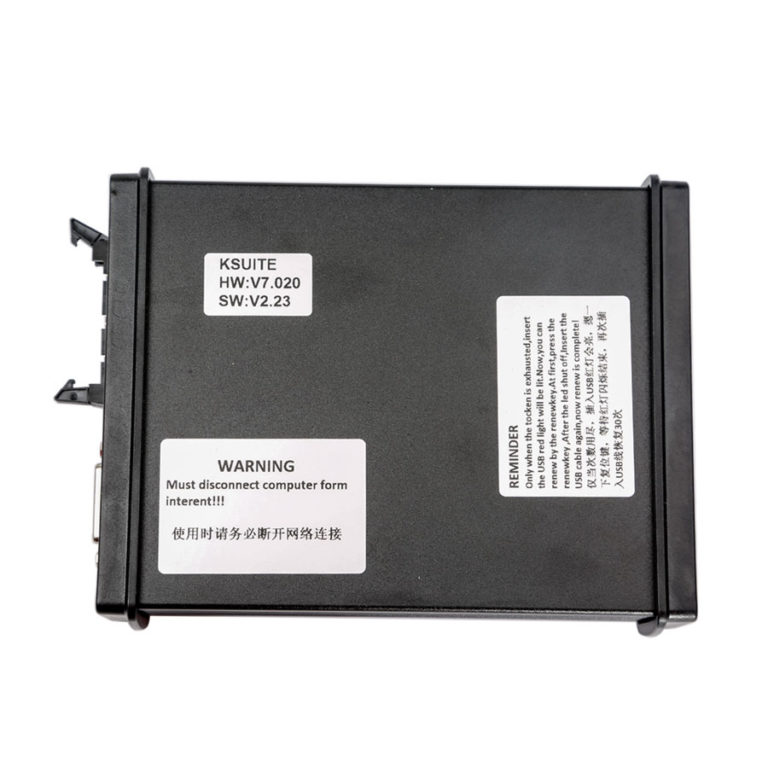
2. KTAG FW 7.020ksuite V2.23 with token renew button
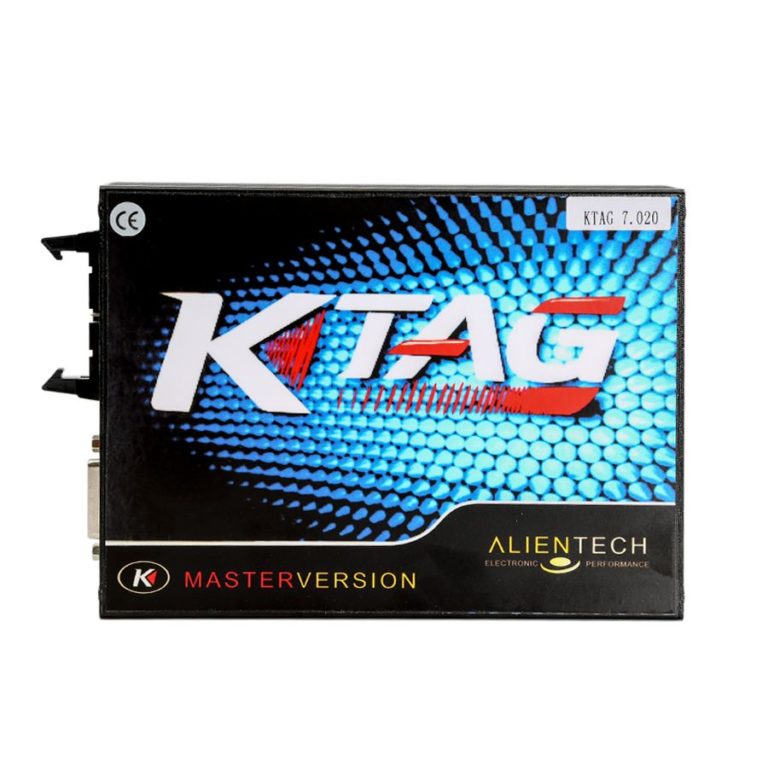
Any difference? Same function?
Yes, these two kinds of KTAG FW 7.020 has SAME function and SAME unlimited tokens.
The ONLY Difference is the appearance.
KTAG FW 7.020 PCB
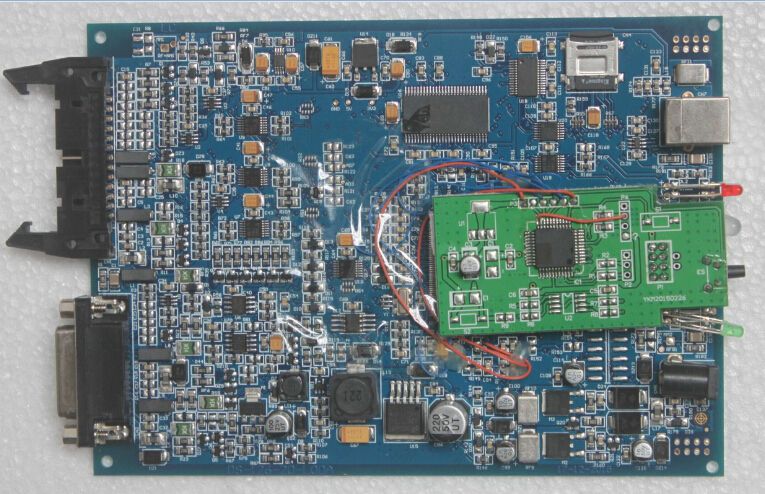

KTAG Token Reset Tips with Token Renew Button
KTAG with token renew button. When tokens are used up, just connect it with computer and the red indicator flash, then you press the Token Reset button, wait until the indicator flash off, unplug the USB cable.
Connect KTAG with computer again, now you get 30 tokens.
How to install KTAG FW 7.020 Ksuite V2.23 on WIN XP step by step?
Before install, please disconnect the internet connection.
Unzip KTAG Ksuite 2.23 software then run Ksuite 2.23 setup.exe.
You will see a “License Agreement”.
Choose “I accept” and click “Next”, click “install”.
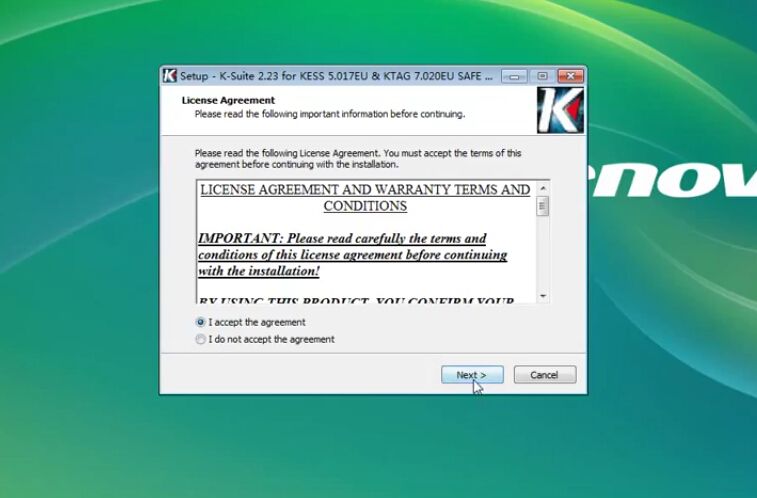

During Ksuite 2.23 installing process, you will see “Microsoft Visual C++ 2005” agreement.
Click “Yes” to accept all items and go on.
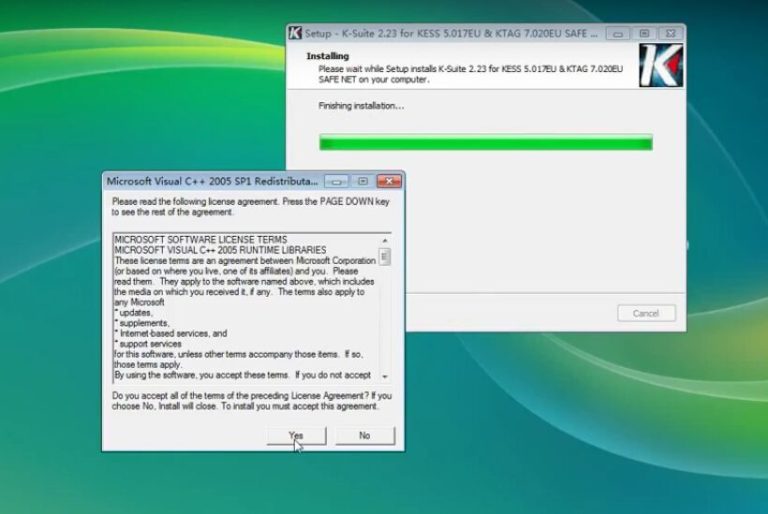
After that, you can see KTAG Ksuite 2.23 software information:
Improved checksum error for family 532 (FIAT MARELLI MM8GMK SPC564A80 CAN)
Added new file type for family 535 (MAZDA DIESEL DENSO RENESAS SH725X MY2015 CAN)
Added new file type for family 537 (FENDT/ JCB/ VALTRA TRACTOR BOSCH EDC17CV41 SISU ENGINE CAN)
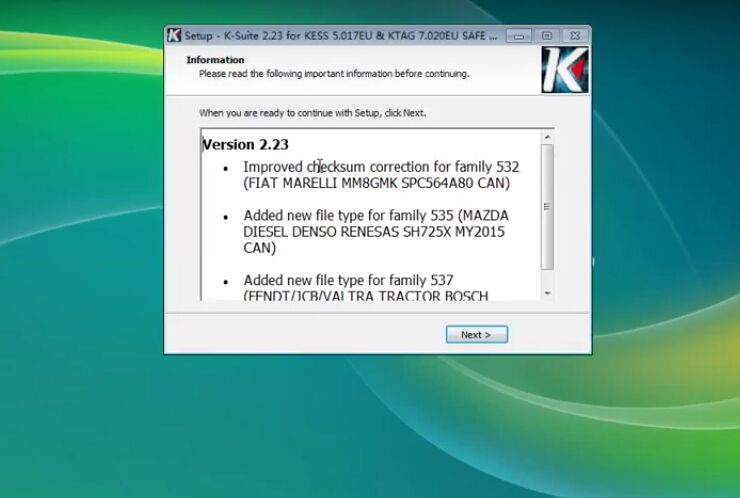
Click “Next” then “Finish”. (Remember to check the box “Install USB drivers”)
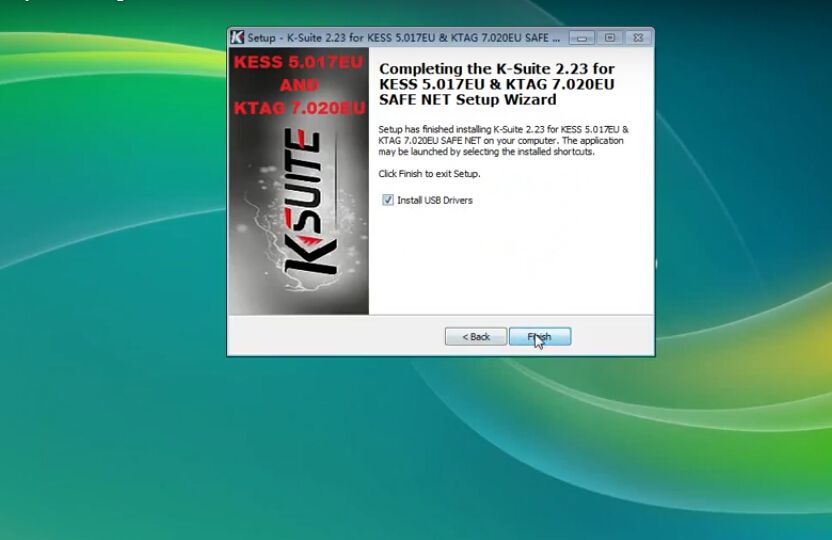
Next you are going to install KTAG Ksuite 2.23 USB Driver.
Select language “U.S English”, click “OK” to install.
Click “Next” until you can click “Finish”.
Ksuite 2.23 USB Driver installation OK.
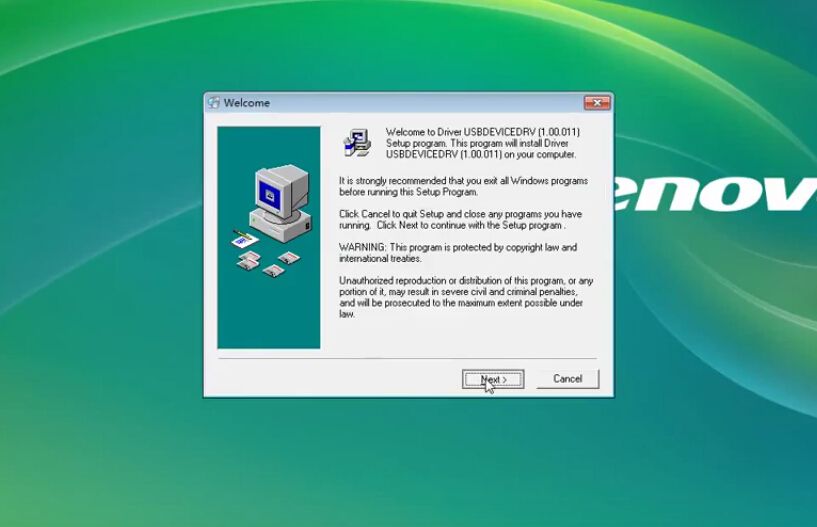

Now you successfully install Ksuite V2.23 software!
Click the K-suite 2.23 shortcut on desktop start to use KTAG Firmware 7.020!
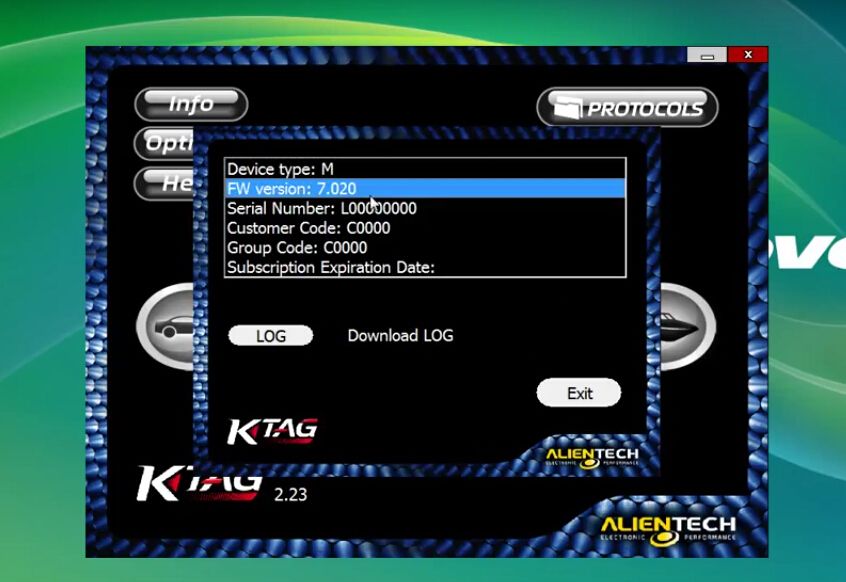

1. Promotion! Latest V2.23 KTAG ECU Programming Tool Firmware V7.020 KTAG Master Version with Unlimited Token
2. 2017 Latest Firmware KTAG V7.020 ECU Programming Tool Master Version with Unlimited Token
3. V2.11 FW V6.070 KTAG K-TAG ECU Programming Tool Master Version with Unlimited Token
4. KTAG K-TAG ECU Programming Tool Master Version V2.10